This post may contain affiliate links. If you click on these links and make a purchase, I may earn a small commission at no extra cost to you. I only recommend products I believe provide value. Thank you.
Gaming monitors can make or break your experience, especially when it comes to speed and visual clarity. This Samsung Odyssey G5 G50F offers QHD resolution and gaming-focused features—but does it deliver smooth and immersive gameplay? In this review, I break down my personal experience on its performance and value.
Table of Contents
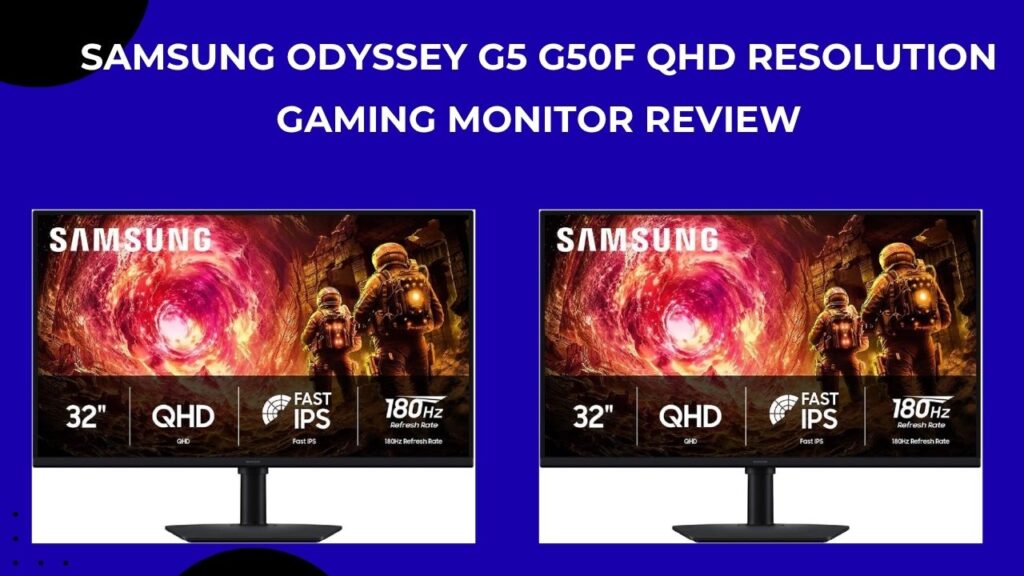
The Samsung Odyssey G5 G50F 32-inch QHD gaming monitor stands out as an exceptional value pick for gamers seeking high-performance visuals without breaking the bank, delivering buttery-smooth 180Hz gameplay, vibrant QHD clarity, and immersive features like AMD FreeSync Premium that make every session feel next-level. After putting it through hundreds of hours across competitive shooters, open-world epics, and even some productivity tasks, I can confidently say yes—you ought to buy this monitor if you’re building a mid-range rig or upgrading from a basic display; its unbeatable price-to-performance ratio crushes competitors and will elevate your setup immediately.
My Standout Features About This Samsung Odyssey G5 G50F Gaming monitor
This Samsung Odyssey G5 G50F gaming monitor packs premium specs into an affordable package. The 32-inch Fast IPS panel runs at QHD (2560×1440) resolution with a blazing 180Hz refresh rate and 1ms GtG response time, ensuring razor-sharp motion without blur or ghosting during my fast-paced actions. Additionally its AMD FreeSync Premium and G-Sync compatibility promise to eliminate tearing and stuttering, while HDR10 adds deeper contrasts and brighter highlights for amazing lifelike scenes.
What i liked most is its ergonomic stand which offers full height adjustment of up to 105mm, swivel of (±45°), tilt of (-3° to 25°), and pivot of up to (±92°), letting me dial in the perfect position for my marathon sessions. Finally its connectivity includes HDMI 2.0 of up to 144Hz, DisplayPort 1.2 of 180Hz when full, and a headphone jack,. It also comes with gaming aids like Black Equalizer for spotting enemies in shadows and Virtual Aim Point for precision targeting.
Samsung Odyssey G5 G50F Unboxing and Build Quality
Pulling the Samsung Odyssey G5 G50F out of the box feels premium right away, its matte black finish is sleek and fingerprint-resistant, weighing in at a sturdy 4.9kg with stand for stability on any desk. Assembly takes under five minutes: you just snap it on the stand, route the included HDMI and DP cables, and you’re set,no are tools needed.
What excited me is its flat IPS panel which avoids the distortion of curved screens, offering consistent 178° viewing angles that shine for co-op play or multi-monitor setups. Finally its build up feels solid with minimal flex, and the slim design keeps it modern-looking.
My Experience In Terms Of Picture Quality and Performance
The first thing I noticed was how vibrant everything looked. With its 99% sRGB coverage and decent brightness, colors really stand out—especially in games like Cyberpunk 2077, where the neon lights and fine details look great even during the day.
Contrast is solid too. Blacks look deep enough without that dull, washed-out feel you sometimes get on cheaper panels, so scenes have a bit more depth. HDR10 is there as well, and while it’s not mind-blowing, it does add a nice touch in games that support it.
Performance-wise, the monitor feels smooth and responsive. Running at 180Hz over DisplayPort, gameplay is fluid, and with FreeSync turned on, I didn’t notice any screen tearing while playing fast-paced titles like Valorant or Apex Legends.
It’s also surprisingly good for everyday use. Text looks sharp thanks to the QHD resolution, even on the larger 32-inch screen, so browsing and working don’t feel like a compromise. Input lag is low enough that everything feels quick and responsive, which definitely helps in competitive games.
Gaming Experience
This is where the Samsung Odyssey G5 G50F truly dominates—diving into fast-paced titles feels transformative. In Call of Duty, the 1ms response time and high refresh rate make tracking enemies effortless, with Black Equalizer revealing hidden foes in dark corners without overexposing bright areas.
Open-world games like Elden Ring benefit from the immersive 32-inch size and wide angles, pulling you into sprawling landscapes. Console gamers would love the HDMI support for PS5/Xbox Series X at 1440p/120Hz+, and the Auto Source Switch+ seamlessly flips between PC and console. Even after months, it holds up without burn-in or degradation.
Everyday Use and Ergonomics
Beyond gaming, it’s a productivity beast. The adjustable stand lets me pivot to portrait for coding or documents, and Eye Saver Mode plus Flicker-Free tech cuts fatigue during 10-hour workdays. 300 nits handles office lighting well, and the OSD menu is intuitive for quick tweaks like overdrive or color profiles.
My multitasking experience shines with sharp QHD scaling in Windows 11, and it pairs perfectly with dual setups for streaming or content creation. Finally power draw maxes at 59W, keeping electricity bills low.
What Other Customers Love
Most buyers of this monitor rave about the value, often calling it the “best bang-for-buck 1440p gamer” with stunning colors and smoothness that punches above its price. Many highlight the easy setup and sturdy stand, noting how it transforms budget builds into pro-level rigs without compromises.
Gamers appreciate the tear-free performance in competitive play, with one saying it “spots enemies in shadows like magic” thanks to Black Equalizer. Productivity users love the clarity for work, praising the ergonomics for all-day comfort. A common theme: “No other monitor matches this size, speed, and quality at the price.”
Samsung Odyssey G5 G50F Minor Drawbacks
Samsung Odyssey G5 G50F isn’t perfect. It has no built-in speakers or USB hub, so you’ll need external audio. Additionally HDR is entry-level, lacking the punch of mini-LEDs, and VA fans might miss deeper blacks, though IPS speed compensates. Glossy competitors could offer more vibrancy, but the matte finish fights glare better.
These are just nitpicks for a sub-$300 monitor that outperforms many twice the cost.
Comparison Table
| Feature | Samsung Odyssey G5 G50F | Typical 1440p Competitor (e.g., AOC 27G4) | Why G50F Wins |
|---|---|---|---|
| Refresh Rate | 180Hz | 165Hz | Smoother motion |
| Panel Type | Fast IPS | IPS | Better angles, no blur |
| Adjustability | Height, swivel, pivot | Height/tilt only | More ergonomic |
| VRR Support | FreeSync Premium, G-Sync | FreeSync only | Broader compatibility |
| Price (32-inch equiv.) | ~$250-300 | ~$280+ | Superior value |
| Gaming Aids | Black Eq., Aim Point | Basic OSD | Edge in FPS |
Why Choose the Samsung Odyssey G5 G50F Gaming Monitor
Ultimately, this monitor delivers pro-grade gaming and versatility at an impulse-buy price, making it ideal for anyone tired of laggy 1080p displays. Its speed, clarity, and features create an addictive experience that keeps you playing longer, and the build ensures it lasts. If you’re serious about immersive gaming without overspending, grab the Samsung Odyssey G5 G50F—your eyes (and K/D ratio) will thank you.