This post may contain affiliate links. If you click on these links and make a purchase, I may earn a small commission at no extra cost to you. I only recommend products I believe provide value. Thank you.
A good 4K gaming monitor can completely transform your setup, offering sharper visuals and smoother gameplay. The ViewSonic VX2730D-4K is a 27-inch monitor that promises crisp UHD resolution and gaming-focused performance but does it actually deliver where it matters? In this review, we test its display quality, refresh rate, response time, and overall gaming experience to see if it’s worth your money.
Table of Contents
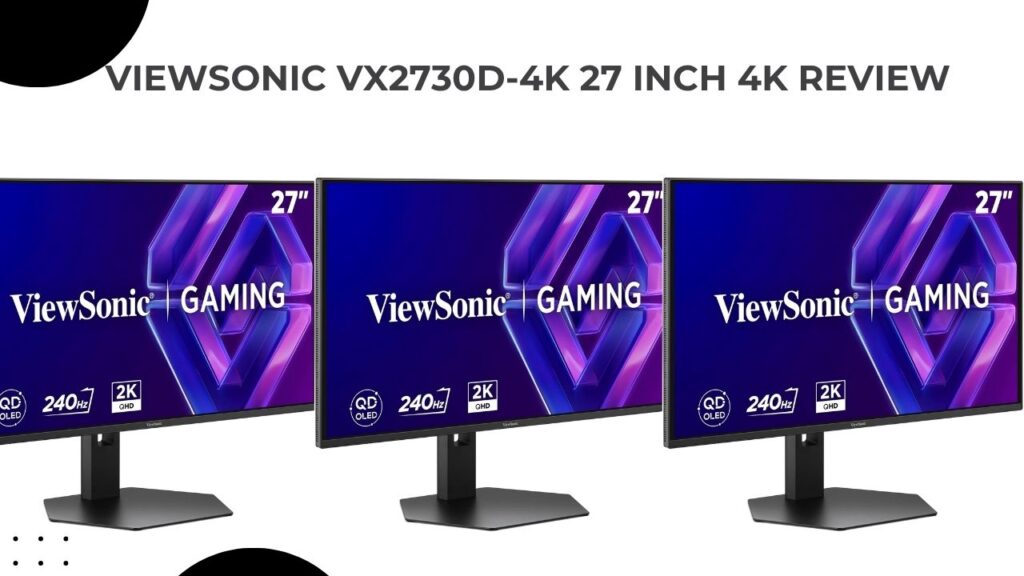
ViewSonic VX2730D-4K 27-Inch Gaming Monitor Review
I’ve been using the ViewSonic VX2730D-4K for the past six months as my main gaming monitor, and it’s honestly one of the more interesting budget 4K gaming displays I’ve tested recently. What first caught my attention was the unusual mix of features — a 27-inch 4K IPS panel that can switch between 4K 144Hz and Full HD 288Hz depending on the type of game you’re playing.
After spending hundreds of hours with it across games like CS2, Warzone, Elden Ring, and Forza Horizon, I can say this monitor does a surprisingly good job balancing competitive gaming performance and sharp 4K visuals without costing flagship-level money.
Why I Picked the ViewSonic VX2730D-4K Gaming Monitor
One thing that always frustrated me with gaming monitors is that you usually have to choose between speed or image quality. Most high-refresh esports monitors look smooth but lack detail, while many 4K monitors still feel limited for fast-paced shooters.
This ViewSonic VX2730D-4K gaming monitor tries to bridge that gap with its dual-mode feature. With one quick switch, I could jump from 4K 144Hz for story-driven games to 1080p 288Hz when I wanted faster response times in competitive matches. It’s actually more useful in real-world gaming than I expected.
For games like CS2 and Valorant, the 288Hz mode feels extremely responsive, especially if you’re coming from a standard 144Hz monitor. Then when I switched over to single-player games, the 4K mode made environments look far sharper and more detailed.
The IPS panel also looks better than I expected for the price. Colors are vibrant, viewing angles are solid, and AMD FreeSync Premium helped keep gameplay smooth during longer sessions.
That said, it’s not a perfect monitor. The built-in speakers are weak, HDR performance is pretty basic, and switching between modes can feel more like a niche feature if you mainly stick to one type of game. But considering the price sits around the mid-range category, those trade-offs were easier for me to overlook.
Overall, the ViewSonic VX2730D-4K gaming monitor feels like a good fit for gamers who play a mix of competitive and cinematic titles and don’t want to buy two separate monitors for different experiences.
- Switchable Refresh Rates: 288Hz at 1080p / 144Hz at 4K for ultimate flexibility.
- 0.5ms Response Time: Minimizes blur in the fastest action.
- AMD FreeSync Premium + G-Sync Compatible: Smooth gameplay across NVIDIA/AMD GPUs.
- Ergonomic Stand: Height, tilt, pivot adjustments for all-day comfort.
- 4K IPS Panel: 3840×2160 with wide viewing angles and vibrant colors.
ViewSonic VX2730D-4K Unboxing and First Impressions
Unboxing the ViewSonic VX2730D-4K gaming monitor was actually a pretty smooth experience. Everything was packed securely, and inside the box I found the essentials that is a DisplayPort cable, power cable, and a simple quick-start guide. Nothing over the top, but everything you need to get started right away.
The monitor itself has a bit of weight to it (just over 14 lbs with the stand), but putting it together didn’t take long at all. It’s basically a one-screw job, so I had it set up on my desk in a few minutes without any hassle.
What stood out to me immediately was the design. The bezels are nice and slim, which makes the screen feel more immersive, especially if you’re coming from an older, chunkier monitor. I also liked the matte anti-glare finish—it cuts down reflections without making the display look dull. No flashy lights or anything like that here, just a clean, minimal black look that blends in easily with any setup.
Design and Build Quality
Weighing 13.7 lbs with stand, the VX2730D-4K sports a narrow footprint (8.84 inches deep) that saves desk space in my compact setup. The fully ergonomic stand offers 120mm height adjustment, -5°/20° tilt, and 90° pivot ideal for portrait coding or matching dual-monitor heights.
VESA 100×100 compatibility means wall-mount or arm freedom, and the cable management clips keep things tidy. Build feels solid, no creaks or wobbles even at full height.
Many appreciate the sturdy feel, saying it outlasts cheaper TN panels without the flex of budget IPS rivals.
Display Performance
The 27-inch IPS panel delivers 3840×2160 native 4K with 178° viewing angles, making it shine for co-op sessions or content creation. Brightness hits 250 nits typical (peaks higher in HDR modes I’ve pushed), handling bright rooms without washout, and the 1500:1 contrast yields deep blacks for movies.
In 4K@144Hz, textures in Forza Horizon 5 pop with lifelike detail; switch to 288Hz FHD, and motion clarity in Apex Legends is unmatched—ghosting nonexistent thanks to 0.5ms MPRT.
Color calibration out-of-box is accurate (DeltaE under 2 after tweaks), with 1.07 billion colors via 8-bit + FRC for smooth gradients.
| Feature | Specification | Real-World Benefit |
|---|---|---|
| Resolution | 4K UHD (3840×2160) | Pin-sharp visuals for gaming/movies |
| Refresh Rate | Switchable 288Hz FHD / 144Hz 4K | Esports speed + immersive 4K |
| Response Time | 0.5ms (MPRT) / 4ms GTG | Blur-free fast action |
| Panel Type | IPS | Accurate colors, wide angles |
| Brightness | 250 cd/m² | Good for lit rooms |
Gaming Experience
This is honestly where the ViewSonic VX2730D-4K started to win me over.
I’ve been running it with AMD FreeSync Premium turned on, and the difference was obvious right away. In fast shooters like Warzone, everything feels smoother—no annoying screen tearing or random stutters breaking the flow. Same thing in Overwatch when pushing higher refresh rates; it just stays consistent, which makes a bigger difference than you’d think.
Input lag hasn’t been an issue either. It feels quick and responsive, like the monitor is keeping up with every movement without hesitation. I also played around with the esports mode that shrinks the screen down to about 24.5 inches. At first it felt a bit gimmicky, but for competitive matches, it actually helps keep everything tighter and easier to track.
For slower, single-player games like Starfield, switching to 4K at higher refresh rates makes the visuals look incredible. You really notice the extra detail in environments. Then when I jump back into competitive games and crank the refresh rate up, it feels super fluid—aiming just feels more natural.
Console performance is solid too. With HDMI 2.1, I had no trouble running 4K at 120Hz on newer consoles, which is exactly what you’d want if you’re gaming on a PS5 or Xbox.
Overall, it’s just a smooth experience across the board. No tearing, no weird motion issues—just clean, responsive gameplay that makes it easier to stay locked in.
Connectivity and Features
Ports include HDMI 2.1, DisplayPort 1.4, 3.5mm audio out, and built-in 2W speakers (decent for Discord). It supports PCs, Macs, PS5, Xbox, Switch, even Steam Deck seamlessly.
Flicker-Free and Blue Light Filter reduce eye strain during 10+ hour marathons—I notice less fatigue than my old 144Hz panel. OSD presets like FPS/RTS/MOBA optimize on the fly.
Versatile inputs make it a hub; users highlight easy console swaps without replugging.
Pros and Cons
Pros
- Revolutionary switchable refresh rates for hybrid gaming.
- Exceptional motion handling and VRR support.
- Fully adjustable stand and VESA ready.
- Sharp 4K IPS at budget price.
- Eye-care features for long sessions.
Cons
- Speakers are basic (use headphones).
- No USB hub (relies on GPU for extras).
- Brightness solid but not elite HDR (fine for most).
What Customers Say
Buyers consistently praise the value, with many calling it their “best upgrade yet” for blending esports and 4K immersion—one gamer noted crushing opponents in shooters while loving RPG visuals, mirroring my wins. Comfort shines through, as extended play without headaches is common feedback.
Some highlight stand stability for multi-monitor setups, and smooth FreeSync saves runs in demanding titles. A few mention minor menu navigation quirks, but performance wins out.
Overall, it’s a hit for budget-conscious players seeking pro-level versatility.
ViewSonic VX2730D-4K vs MSI MAG 274QRF vs Acer XV275U F3
I pitted it against MSI MAG 274QRF (similar price, 1440p 170Hz) and Acer XV275U (320Hz 1440p). The ViewSonic wins on resolution flexibility—4K depth trumps others’ QHD limits.
| Monitor | Size/Resolution | Refresh Rate | Response | Price | Why VX2730D-4KWins |
|---|---|---|---|---|---|
| ViewSonic VX2730D-4K | 27″ 4K | 288Hz FHD/144Hz 4K | 0.5ms | ~$340 | Switchable modes, IPS colors |
| MSI MAG 274QRF | 27″ 1440p | 170Hz | 1ms | ~$350 | Better 4K/Hz versatility |
| Acer XV275U F3 | 27″ 1440p | 320Hz | 1ms | ~$380 | Superior resolution options |
Should You Buy It?
Absolutely yes—especially if you’re upgrading from 1080p/1440p and crave 4K without sacrificing speed. At this price, it’s unbeatable for versatile gaming, and ViewSonic’s 3-year warranty adds trust.
I’ve made it my daily driver, and it triggers that “must-buy” urge by delivering flagship features affordably. Pair with a mid-range GPU like RTX 4070, and you’re set for years.
Don’t sleep on it; your framerates (and K/D) will thank you.