This post may contain affiliate links. If you click on these links and make a purchase, I may earn a small commission at no extra cost to you. I only recommend products I believe provide value. Thank you.
If you’re thinking about upgrading to an OLED gaming monitor, this MSI MAG 274QP QD-OLED X24is probably one of the models you’ve come across. I spent time using it for competitive gaming, casual browsing, and media consumption to see whether it actually lives up to the praise online. While the picture quality is impressive, there are a few important things worth considering before you buy it.
Table of Contents
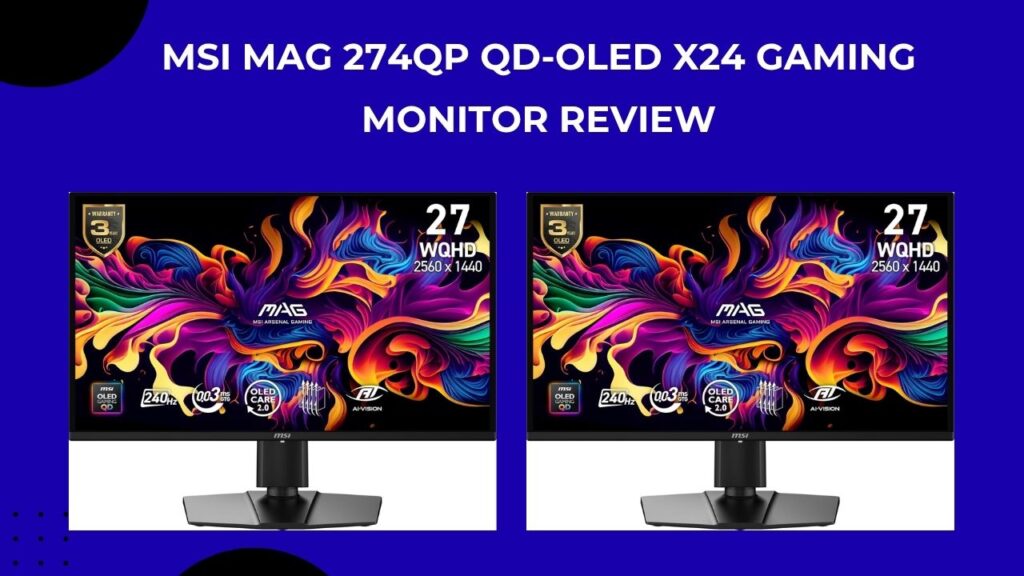
MSI MAG 274QP QD-OLED X24 27-inch 2560 x 1440 (QHD) Gaming Monitor Review: what this monitor is really about
I’ve been using this MSI MAG 274QP QD-OLED X24 for a while now, and the easiest way to describe it is: it feels like jumping a whole tier up in gaming visuals without jumping into crazy 4K pricing.
This is a 27-inch QHD OLED gaming monitor with a 240Hz refresh rate, and on paper that already sounds like a “spec sheet flex.” But in real use, what stands out isn’t the numbers, it’s how clean and alive everything looks. Coming from a typical IPS monitor, the difference in contrast alone is the first thing that hits you. Blacks are actually black, not that greyish glow you just learn to tolerate on cheaper panels.
Where it really starts to shine is in games. Fast shooters and racing games feel ridiculously smooth at 240Hz, and the 0.03ms response time basically removes that “smear” you sometimes notice when things move quickly. It’s one of those monitors where you don’t think about motion blur—you just don’t see it.
But it’s not only about competitive gaming. Open-world games and story titles look almost unfairly good on this thing. The QD-OLED panel brings out colors in a way that feels richer without looking overly artificial. Night scenes especially look cinematic because of the deep blacks, and HDR content finally feels like it actually matters instead of being a checkbox feature.
It’s also worth mentioning that MSI MAG 274QP QD-OLED X24 didn’t just throw an OLED panel in and call it a day. The monitor comes with OLED care features (like burn-in protection tools and pixel shifting), and it’s certified for high motion clarity (VESA ClearMR 13000), which basically means it’s built to handle fast movement without turning everything into a blur.
That said, it’s still an OLED. I personally wouldn’t treat it like a “leave static desktop icons on 12 hours a day” kind of screen. It makes more sense as a gaming and media-focused display, especially in a room that isn’t super bright all the time.
Overall, this MSI MAG 274QP QD-OLED X24 feels like one of those monitors that quietly makes everything else you’ve used before feel a bit dull. Not perfect for every setup, but if you’re in its target zone—gaming first, everything else second—it’s honestly hard to go back once you’ve used it.
Design, stand, and build quality
On the desk, this MSI MAG 274QP QD-OLED X24 feels simultaneously aggressive and understated. The front is a simple black frame with a glossy anti‑glare screen, while the rear carries MSI’s signature “MAG” branding with subtle RGB accents at the bottom‑center. The stand is angular and matte‑black, supporting tilt, swivel, and height adjustment, so you can easily dial in a comfortable viewing angle whether you’re gaming seated low or working at a higher desk.
From daily use, the build feels solid but not overly heavy; the chassis doesn’t flex, and the joints of the stand are firm enough that you’re not constantly re‑leaning the monitor every time you bump your desk. If you plan to mount it, the back is VESA‑compatible (100 × 100), which works well with most standard monitorarms or wall mounts.
Panel and image quality: where QD‑OLED shines
- Blacks, contrast, and per‑pixel lighting
The biggest advantage of QD‑OLED here is true per‑pixel dimming, which means every black pixel is genuinely off instead of dimmed by a backlight. In practice, that translates into perfect blacks in dark scenes, whether you’re sneaking through a jungle in a story‑driven shooter or exploring a dimly lit city at night. Shadows retain detail without the “gray‑veil” look that plagues many IPS panels in low‑light conditions.
Viewing angles are excellent too; colors and contrast stay consistent even when you’re sitting slightly off‑center, which is a big plus if you often share your screen with a friend or co‑streamer.
- Color, brightness, and HDR
MSI rates this panel at around 200 cd/m² typical SDR brightness, with peak HDR around 400 cd/m². That’s not as bright as some high‑end OLED or mini‑LED monitors, but it’s enough to make HDR‑enhanced games and movies pop without blowing out small, dark rooms.
The display covers a wide color gamut (roughly 99% DCI‑P3 / Adobe RGB class coverage), which means colors look rich and saturated without veering into “overcooked” territory. Reds and greens are especially vibrant, and skin tones land in a natural, filmic range rather than looking cartoonish.
HDR performance is good but not class‑leading. Black‑level detail and contrast are excellent, but highlights in bright‑scene games or HDR content don’t quite match the “wow” factor of pricier 4K OLEDs. For most users who aren’t chasing maximum nit‑level explosions, it still feels like a big upgrade over non‑HDR IPS panels.
Gaming performance: 240 Hz, 0.03 ms, and VRR
- Refresh rate and motion clarity
Running at 240 Hz, this monitor feels incredibly smooth once you match it with a capable GPU (RTX 3060 Ti / RX 6700 XT or better, ideally). First‑person shooters, battle‑royales, and racing sims all benefit from the extra headroom, especially when you’re hitting 150–200+ fps.
The 0.03 ms GtG response time is essentially imperceptible, which minimizes motion blur and ghosting around fast‑moving objects. In fast‑paced games like Apex Legends, Overwatch‑style titles, or Counter‑Strike 2*, smears and trailing are almost gone, giving you cleaner edges on enemies and environment details.
- Adaptive Sync and VRR
The monitor supports Adaptive‑Sync over HDMI and DisplayPort, with a VRR range of roughly 48–240 Hz and LFC (Low Framerate Compensation). On a PC, this pairs well with NVIDIA G‑SYNC Compatible or AMD FreeSync setups, so you can keep variable refresh rates enabled without tearing.
In real‑world use, tearing is effectively gone in most titles, and stutter from frame‑rate dips is noticeably softened. However, like many QD‑OLEDs, there can be a subtle flicker or “pulsing” during very low‑framerate scenarios, especially at the very bottom of the VRR range. It’s not something that will ruin games, but it’s worth noting if you often play at sub‑50 fps.
Standout features and MSI extras
Several features make this monitor stand out from other 1440p OLEDs in its price bracket:
- QD‑OLED + 1440p combo: At 26.5 inches, 1440p density is tight enough that text and UIs look sharp without the “screen door” or fringing annoyance that some 1440p OLEDs suffer from.
- OLED Care 2.0: Includes pixel‑shifting, screen‑savers, and time‑based refresh features designed to reduce burn‑in risk if you’re using static UIs for long periods.
- Rich connectivity: Two HDMI 2.1 ports and one DisplayPort 1.4a make it easy to hook up a PC plus one or two consoles (PS5 / Xbox Series X|S) without needing constant cable swaps.
- Comfort and anti‑glare: The panel carries an anti‑glare (non‑extreme glossy) coating that cuts reflections without turning text into a soft blur, which is a big plus for mixed use between gaming and media.
Where it’s ideal, and where it’s less optimal
Best‑fit use cases
This monitor is an excellent choice if you:
- Primarily game at 1080p–1440p with a strong GPU and want ultra‑smooth motion + deep blacks.
- Play a mix of competitive shooters and immersive single‑player titles where cinematic visuals matter.
- Enjoy watching movies and streaming on a relatively small, high‑contrast screen in a darker room or night‑gaming setup.
For most of these users, this MSI MAG 274QP QD‑OLED X24 feels like a sweet‑spot upgrade from a 144Hz IPS panel, especially if you can find it near or below $500.
Situations where you might hesitate
There are a few scenarios where this monitor may not be the best fit:
- Heavy office work all day with static UIs: If you’re staring at taskbars, spreadsheets, or chat windows for 8+ hours straight, OLED burn‑in risk is higher, even with OLED Care.
- Very bright rooms or sun‑filled daylight environments: The relatively modest peak brightness (200 nits SDR) can make it harder to see fine details in bright‑scene games during the day.
- Pixel‑peepers or color‑critical creators: While colors are vibrant and coverage is strong, this isn’t a “reference” monitor for professional photo‑editing or color‑sensitive work. For most gamers and casual creators, that’s fine.
User‑experience insights: what actual owners tend to notice
From real‑world feedback patterns, buyers consistently highlight a few things:
- “It looks so much better than my old IPS” is a common sentiment, especially when moving from 144 Hz TN/IPS panels to QD‑OLED with proper blacks and contrast.
- Competitive gamers love the 240 Hz‑plus response combo, describing movement as “effortlessly smooth” and enemies easier to track at high speeds.
- Movie and streaming viewers appreciate the cinematic blacks, particularly for Netflix, Disney+, and dark‑scene games.
- Some users mention moderate text fringing at 1440p up close, but most find it acceptable once they sit at a normal distance (2–3 feet).
- A minority of owners report concerns about burn‑in, especially if they leave static elements on for long periods; those who rotate content or use OLED Care features tend to be more satisfied.
None of these points are deal‑breakers for the typical U.S. gamer, but they do emphasize that this monitorrewards thoughtful usage habits rather than being an “always‑on, never‑think‑about‑it” panel.
Games‑by‑genre: how it performs in practice
- First‑person shooters and esports
In fast‑paced shooters, the 240 Hz + 0.03 ms combination feels like a genuine upgrade. There’s less sense of motion smear, and you can track moving enemies more cleanly at the edges of the screen. The deep blacks also help with spotting enemies in shadowy corners without washing out brighter areas.
- Racing and sports titles
Racing games benefit from the high refresh rate and low input lag, making high‑speed turns feel sharper and more precise. The wide color gamut adds a nice pop to vibrant liveries and sun‑soaked tracks, while the contrast keeps headlights and shadows well defined.
- Open‑world and story‑driven games
RPGs and open‑world games shine here because dark‑scene fidelity and color depth make environments feel more immersive. Night‑time cities, forests, and interiors all look richer than on many IPS panels, and the 1440p resolution keeps the world sharp without oversharpening.
- Fighting and rhythm games
These genres live on tight timing windows, and the smooth motion helps you read frame‑perfect animations more clearly. The QD‑OLED’s speed also minimizes “ghosting” on fast‑moving characters, which can be crucial for high‑level play.
Sound, ports, and everyday usability
Unlike many gaming monitors, this one doesn’t skimp on connectivity and quality‑of‑life touches. You get:
- 2 × HDMI 2.1 (4K up to 120 Hz, 1440p up to 240 Hz)
- 1 × DisplayPort 1.4a with 240 Hz support
- Headphone jack on the rear for easy audio routing
- Standard VESA 100×100 mount for arm or wall setups
The built‑in speakers are basic but usable for casual video‑chat or quick audio checks; serious gamers will still want to use headphones or external speakers.
In use, the on‑screen display (OSD) is straightforward rather than flashy: you can tweak brightness, contrast, response time settings, and game presets quickly, although some users note that the HDR‑mode options are a bit limited compared with higher‑end models.
Should you buy the MSI MAG 274QP QD‑OLED X24?
For most gamers, the answer is yes—if you position this monitor as a gaming‑first, entertainment‑capable display rather than an all‑day workhorse. It brings a 240 Hz QD‑OLED experience at a price point that undercuts many competing OLEDs, without sacrificing core features like rich colors, deep blacks, and solid connectivity.
Buy it if:
- You want ultra‑smooth motion + deep blacks for games and movies.
- You have a mid‑to‑high‑end GPU (or a powerful console) that can push 100+ fps.
- You mainly use it in moderate‑to‑low‑light conditions and can avoid leaving static UIs on for hours.
Consider alternatives if:
- You need maximum brightness for very bright rooms.
- You work long hours with static taskbars and UIs and are risk‑averse about OLED.
- You’re looking for color‑grading or professional‑grade accuracy first and gaming second.
Final verdict: a premium‑feel 1440p OLED at a strong price
This MSI MAG 274QP QD-OLED X24 is the kind of monitor that makes mid‑range setups feel suddenly “upgraded.” It’s not the absolute brightest or most feature‑packed OLED on the market, but for the price, it delivers excellent gaming performance, rich colors, deep blacks, and enough flexibility for mixed use.
If you’re a gamer who values immersion as much as responsiveness, and you can tolerate OLED’s inherent trade‑offs, this is a monitor that will genuinely make you feel like you’ve stepped up to a higher tier—without the leap in cost that bigger OLED brands often demand.