This post may contain affiliate links. If you click on these links and make a purchase, I may earn a small commission at no extra cost to you. I only recommend products I believe provide value. Thank you.
With so many robot vacuums promising smarter cleaning and stronger suction, it’s getting harder to know which models actually deliver. The iRobot Roomba 105X Robot Vacuum enters the market as a budget-friendly option featuring LiDAR navigation, customizable room cleaning, and stronger suction than older entry-level Roombas. After testing it around furniture, along edges, and across different floor types, I came away with a much clearer picture of who this robot vacuum is best suited forand who should probably skip it.
Table of Contents
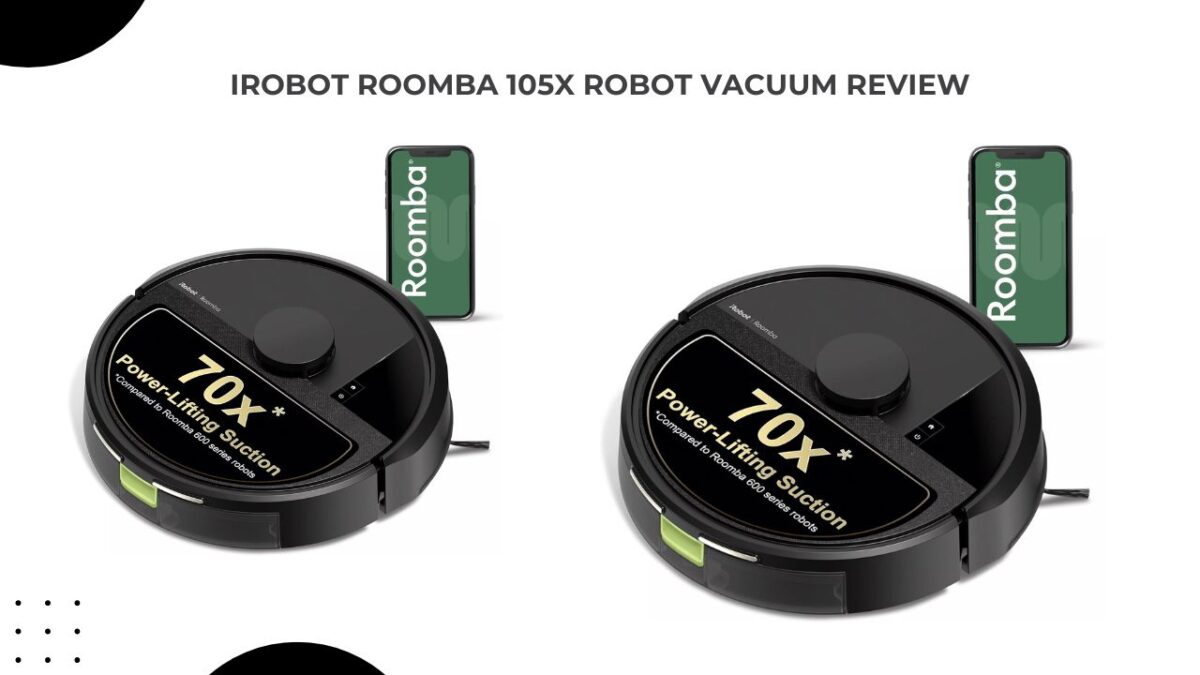
iRobot Roomba 105X Robot Vacuum Review — Should You Buy It?
Short answer: Yes, the iRobot Roomba 105X Robot Vacuumis worth buying if you’re looking for a robot vacuum that handles everyday dust and debris with minimal effort. After using it for several weeks on a mix of tile floors, low-pile rugs, and a few carpeted rooms, what stood out most wasn’t the suction power—it was how little I had to think about vacuuming. The combination of LiDAR navigation and the AutoEmpty dock meant I could set a schedule and largely forget about it.
That said, it isn’t perfect. Pet hair tends to wrap around the main brush faster than I expected, and unlike some newer robot vacuums I’ve tested, the 105X isn’t particularly good at recognizing cables, charging cords, or stray socks left on the floor. If your home tends to have clutter, you’ll still need to do a quick pickup before starting a cleaning cycle.
First Impressions: Unboxing & Setup
When the iRobot Roomba 105X Robot Vacuum arrived, the first thing I noticed was the size of the AutoEmpty dock. It’s larger than the charging stations that come with entry-level robot vacuums, but after living with it for a while, I found the extra space worthwhile because I rarely had to empty the dustbin manually.
The setup process was straightforward. From opening the box to starting the first cleaning run, it took me roughly 15 minutes. The iRobot Home app walked me through connecting the vacuum to Wi-Fi, updating the firmware, and creating the first map.
For my initial test, I let the robot map the entire main floor of my home. The LiDAR system impressed me because it didn’t wander randomly like older budget robot vacuums I’ve used in the past. Instead, it moved methodically around room edges before cleaning in straight, organized rows. The first map was surprisingly accurate, correctly identifying room boundaries and furniture placement with only a few minor adjustments needed in the app.
One feature I appreciated during testing was how easy it was to create no-go zones. I placed one around a cluster of charging cables near my desk and another around a pet feeding station, and the robot consistently respected those boundaries during subsequent cleaning runs.
The only setup-related issue I encountered was finding a suitable location for the dock. iRobot recommends leaving clearance around it, and in smaller apartments that can be harder than it sounds. Once positioned correctly, though, the robot had no trouble finding its way back to the dock after each cleaning session.
Standout Features That Matter in Real Life
Here are the features that actually changed my routine:
How It Actually Cleans: Floors, Carpets, and Corners
After using the iRobot Roomba 105X Robot Vacuum for a couple of weeks in my home, I found that its strongest performance is on hard floors. Most of my testing was done on tile and laminate flooring in the kitchen, dining area, and living room. Daily dust, pet hair, crumbs, and dirt tracked in from outside were usually picked up in a single cleaning run, and I noticed far less debris collecting along the edges of rooms compared to before I started using it.
On low-pile rugs and medium-pile carpets, the 105X performed better than I expected for an entry-level Roomba. It had no trouble collecting surface debris, pet hair, and everyday dirt. Areas near entryways, where dirt tends to get worked into the carpet fibers, sometimes benefited from a second pass, but overall the results were consistently good enough that I didn’t feel the need to pull out my upright vacuum as often.
The edge-sweeping brush helps pull debris away from baseboards, although it isn’t perfect. I noticed that very tight corners, especially in bathrooms and around kitchen cabinets, occasionally needed a quick manual sweep afterward. That’s fairly common among robot vacuums in this price range, so it wasn’t a major surprise.
One thing I appreciated during testing was how quietly the 105X operates. I often scheduled cleaning runs while working from home, and the noise was low enough that it didn’t interfere with video calls or watching TV in the next room. You can definitely hear it running, but it’s more of a steady background hum than the loud vacuum noise most people are used to.
I also found its navigation around furniture reasonably smooth. It occasionally nudged chair legs and table bases, but it rarely got stuck during my testing, and it was generally able to work its way around obstacles without much intervention.
What Customers Are Saying (The Honest Part)
Across buyer reviews and independent tests, the pattern is clear:
- People love the self-emptying convenience, LiDAR mapping, and the way it cleans in neat rows. Many say it “just works” for daily upkeep and saves them significant time.
- Common complaints center on hair tangles (the brush wraps long hair and pet hair), limited obstacle avoidance (it bumps into cords/socks), and edge/corner cleaning that’s merely okay. Some users also report the app can be finicky on certain tablets, and battery coverage per charge is modest for larger homes.
- Pet owners often note that while it picks up surface pet hair well, the lack of active detangling means they must clean the brush roll periodically. A hair-removing tool is included for this.
Overall, the Roomba 105X averages around 3.7 stars in user feedback, with praise for mapping and scheduling but mixed feelings on obstacle handling and hair management.
The Real-World Weaknesses You Should Know
No robot vacuum is perfect, and the iRobot Roomba 105X Robot Vacuum has a few clear limitations:
Who Should Buy the iRobot Roomba 105X Robot Vacuum (and Who Shouldn’t)
Best For
- Small-to-medium homes (up to ~900 sq. ft. per charge) or anyone willing to let it recharge and resume
- Busy professionals who want daily cleaning without touching a dustbin for weeks
- Hard-floor + low-pile carpet homes that need reliable daily maintenance cleaning
- iRobot brand loyalists who value long-term support, app updates, and ecosystem reliability
Not Ideal For
- Heavy pet-hair households that need active detangling and anti-tangle brush technology
- Homes with lots of floor clutter (cords, shoes, toys) — you’ll need to tidy before each run
- Large homes where you want full-floor coverage in one go without recharging
- Furniture with very low clearance under cabinets/sofas where a slim 2.85″ profile is required
Setup Tips That Save Time (From My Own Experience)
- Place the dock wisely: Two feet of clearance on each side and a foot in front prevents docking errors. Keep it away from dark rugs that can confuse cliff sensors.
- Tidy first, then schedule: Spend 2 minutes picking up cords/socks before the first run. After that, schedule it daily at a time you’re out or in another room.
- Set no-go zones: Block off areas with pet bowls, charging cables, or fragile decor. The app lets you draw these easily.
- Use spot clean for kitchen messes: After cooking, run a 5-minute spot clean instead of a full-house cycle.
- Clean the brush roll weekly: With pets or long hair, this keeps tangles down and performance consistent.
iRobot Roomba 105X vs Eufy C10 Robot Vacuum
The Eufy C10 beats the iRobot Roomba 105X Robot Vacuum on pet hair and battery efficiency, but the Roomba offers self-emptying, stronger raw suction, and the iRobot ecosystem. If you want the lowest-cost entry into Roomba with auto-empty, the 105 is that door — but know its trade-offs.
Maintenance & Recurring Costs
- AutoEmpty bags: Last up to 75 days; replacement bags are a recurring cost (check iRobot’s official bag part number).
- Filters & brushes: Replace filters periodically; clean the brush roll weekly if you have hair/pets.
- Wheels/sensors: Wipe cliff sensors and wheels monthly to avoid navigation glitches.
Final Verdict:
Buy the iRobot Roomba 105X Robot Vacuum if you want a dependable, self-emptying robot vacuum that maps precisely, cleans hard floors and low-pile carpets efficiently, and frees you from daily vacuuming. It’s ideal for small-to-medium homes and busy households that value the iRobot brand’s reliability and app features. Don’t buy it if you have heavy pet hair, lots of floor clutter, or need a slim robot that slips under low furniture — in those cases, consider alternatives with active detangling and a lower profile.
Quick Takeaway Summary
- Biggest win: Self-emptying dock + LiDAR mapping = truly hands-off daily cleaning
- Standout feature: 70× power-lifting suction with neat-row cleaning on all surfaces
- Main drawback: Hair wraps on the brush and no obstacle avoidance — you must tidy first
- Best fit: Busy people with small-to-medium homes who want quiet, reliable, daily maintenance cleaning
- Buy recommendation: Yes — if your priorities are convenience, mapping, and brand trust; no — if pet hair tangles and clutter avoidance are your top needs